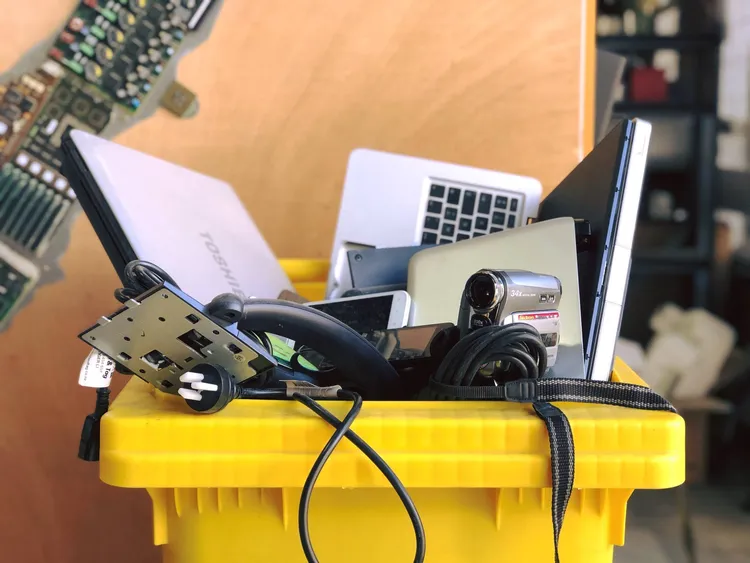
That old TV in the basement. The laptop that barely holds a charge. The drawer full of phones from 2015. After 25 years in waste management, I can tell you electronic waste is one of the fastest-growing waste categories, and one of the trickiest to deal with properly.
In many states, throwing electronics in the garbage is flat-out illegal. And even where it’s legal, it’s not a great idea. Electronics contain lead, mercury, cadmium, and other materials that don’t belong in landfills.
What Counts as E-Waste?
Understanding what qualifies as e-waste helps you figure out where to take it.
Common e-waste items:
- TVs and monitors (including CRT, LCD, LED, plasma)
- Computers (desktops, laptops, tablets)
- Phones and smartphones
- Printers, scanners, and fax machines
- Gaming consoles
- DVD/Blu-ray players
- Small electronics (cameras, MP3 players, GPS units)
- Cables, chargers, and accessories
Handled differently:
- Large appliances with electronics (see our appliance guide)
- Batteries (often separate programs)
- Light bulbs (usually hazardous waste, see below)
Old tube-style TVs and computer monitors contain lead—sometimes up to 8 pounds per unit. These are the hardest e-waste to recycle and often incur fees. Don't just leave them at the curb.
States That Ban Electronics in Landfills
As of 2025, these states have e-waste landfill bans. If you live in one of these states, you cannot legally put electronics in the trash.
| Region | States |
|---|---|
| Northeast | CT, ME, MA, NJ, NY, PA, RI, VT |
| Midwest | IL, IN, MI, MN, WI |
| South | MD, NC, VA |
| West | CA, OR, WA |
Plus DC and several other states with partial bans.
Even if your state doesn't ban e-waste from landfills, your local municipality might. Check your city's waste rules before tossing any electronics.
Option 1: Retailer Take-Back Programs
The easiest option for most people. Many retailers accept old electronics for recycling, often for free.
Best Buy
Best Buy is the gold standard for e-waste recycling. Every store accepts electronics regardless of where you bought them.
What they accept for free:
- TVs up to 32 inches
- Computers, laptops, and tablets
- Phones and cell phones
- Printers, cables, and accessories
- Most small electronics
What costs money:
- TVs larger than 32”: $29.99
- Limit of 3 items per household per day
Check Best Buy recycling info for the full list.
Best Buy's 3-item-per-day limit resets daily. If you're cleaning out a lot of electronics, make multiple trips over several days or bring a friend who can claim their own 3-item limit.
Staples
Accepts computers, monitors, and office electronics. Often runs free recycling events during Earth Day and back-to-school season.
Apple
Apple stores take back any Apple device for recycling—even ancient iPods. They’ll give you trade-in credit if the device has value. Non-Apple devices accepted at some locations.
Cell Phone Carriers
Verizon, AT&T, and T-Mobile stores accept old phones for recycling. Many offer trade-in credit toward new devices.
| Carrier | Trade-in | Any Brand? |
|---|---|---|
| Verizon | Yes | Yes |
| AT&T | Yes | Yes |
| T-Mobile | Yes | Yes |
| Apple Store | Yes | Apple only |
Option 2: Manufacturer Programs
Many electronics manufacturers run their own recycling programs, often accepting any brand.
Dell Reconnect: Partners with Goodwill. Drop off any brand of computer at participating Goodwill locations. This is one of my favorite programs—convenient and helps a good cause.
Samsung: Free mail-in recycling for Samsung products. They’ll send you a prepaid label.
HP: Free recycling for HP products. Some other brands accepted at participating retailers.
Sony, LG, Panasonic: Various take-back programs available through their websites.
Before recycling working electronics, check if they have trade-in value. Even old phones and laptops can be worth $20-100. Apple, Best Buy, and Gazelle all offer trade-in quotes online.
Option 3: Municipal E-Waste Collection
Many cities and counties run e-waste collection events or have permanent drop-off sites.
How to find them:
- Search “[your county] e-waste recycling”
- Check your city’s waste management website
- Call 311 in larger cities
- Use Earth911.com to search by zip code
Some transfer stations also accept electronics. Check facilities in California, New York, Texas, Florida, or Georgia.
Municipal programs often charge fees for CRT TVs and monitors ($15-50) because they're expensive to recycle. Call ahead to confirm pricing and what's accepted.
Option 4: Certified E-Waste Recyclers
For businesses or large quantities, certified recyclers ensure electronics are handled responsibly.
Look for these certifications:
| Certification | What It Means |
|---|---|
| e-Stewards | Strictest standard. No export to developing countries. Best for data security. |
| R2 | Industry standard. Responsible recycling practices. |
Find e-Stewards certified recyclers at e-stewards.org.
Uncertified recyclers sometimes ship e-waste overseas, where it's processed unsafely by workers without protective equipment. I've seen investigative reports that tracked "recycled" electronics to open-air burning sites in developing countries. Certified recyclers follow strict environmental and data security standards.
Data Security: Wipe Your Devices First
Before recycling any device that stored personal data, wipe it. This is non-negotiable.
Most retailer programs do NOT guarantee data destruction. If you have sensitive information on a device—bank accounts, passwords, personal photos—handle data deletion yourself before recycling.
Phones and Tablets
iPhone/iPad:
- Go to Settings > General > Transfer or Reset iPhone
- Tap “Erase All Content and Settings”
- Confirm when prompted
Android:
- Go to Settings > System > Reset options
- Select “Erase all data (factory reset)”
- Confirm when prompted
Computers
Windows 10/11:
- Settings > System > Recovery
- Click “Reset this PC”
- Choose “Remove everything”
- Select “Clean the drive” for thorough deletion
Mac:
- Restart and hold Command+R for Recovery Mode
- Open Disk Utility
- Select your drive and click “Erase”
- Reinstall macOS if desired
Hard Drives You Can’t Wipe
If a device won’t turn on, you have two options:
-
Remove and destroy the hard drive: Take it out, drill through it, or hammer a nail through the platters. No data survives that.
-
Take it to a certified recycler: e-Stewards and R2 certified recyclers offer data destruction services with certificates of destruction.
For old hard drives, I keep a dedicated drill bit just for this purpose. One hole through the middle platters and the data is unrecoverable. Then I recycle the metal with regular e-waste.
What About Batteries?
Batteries are often handled separately from other electronics.
Rechargeable Batteries
Many retailers have battery recycling drop-off bins. Call2Recycle runs a network of drop-off locations—enter your zip code on their site to find one.
Common drop-off locations:
- Best Buy
- Home Depot
- Lowe’s
- Staples
- Many grocery stores
Single-Use Batteries
Alkaline batteries (AA, AAA, C, D, 9V) can go in regular trash in most states. They’re no longer considered hazardous waste.
Exception: California requires all batteries to be recycled. Don’t put them in the trash.
Car Batteries
Auto parts stores (AutoZone, O’Reilly, Advance Auto) accept car batteries for recycling. Most offer a core credit ($10-20) when you bring in the old battery.
Tape the terminals of lithium batteries before recycling them. Exposed terminals can cause fires in recycling bins. A piece of electrical tape takes 5 seconds and prevents potential disasters.
State-Specific Notes
California
California has the strictest e-waste rules in the country. Most electronics are banned from trash, and a fee collected at purchase funds recycling. All retailers that sell electronics must accept covered items for recycling—usually free. Check CalRecycle for details.
New York
New York requires manufacturers to provide free recycling for their products. Most major retailers participate. NYC runs free e-waste drop-off events throughout the year—check NYC 311 for the schedule.
Texas
Texas doesn’t have a statewide e-waste law, so options vary by city. Best Buy is your most reliable option statewide. Austin, Houston, and Dallas run periodic collection events—check TCEQ for your area.
Florida
Florida has no statewide e-waste ban, but many counties run collection programs. Best Buy and local retailers are your best bet. Check the Florida DEP for county-specific resources.
Georgia
My home state. Georgia doesn’t ban e-waste from landfills, but most metro counties offer collection events. Best Buy locations throughout the state provide consistent free recycling. Check Georgia facilities for local options.
What NOT to Do
I've seen all of these cause problems—environmental damage, data breaches, or fines. Don't learn the hard way.
Don’t throw electronics in regular trash. In half the country, it’s illegal. In the other half, it’s still irresponsible. Lead, mercury, and cadmium leach into groundwater from landfills.
Don’t recycle without wiping data. Identity thieves buy old hard drives and phones specifically to extract personal information. Factory reset everything before it leaves your hands.
Don’t dump e-waste illegally. Leaving a pile of old computers behind a dumpster is illegal dumping. Fines start at $500 and can reach $25,000 for large quantities.
Don’t assume “recyclers” are legitimate. Some operations accept e-waste then dump it illegally or ship it overseas. Use certified recyclers (e-Stewards or R2) when possible.
Disposal Checklist
- Check if device has trade-in value before recycling
- Back up any data you want to keep
- Factory reset phones, tablets, and computers
- Remove and destroy hard drives from non-functional devices
- Tape lithium battery terminals
- Take to Best Buy, retailer program, or certified recycler
Clearing Out More Than Electronics?
If you’re doing a full cleanout, you might also be dealing with:
- Old appliances (fridges, washers, AC units)
- Paint cans (latex vs oil-based rules)
- Furniture (bulky item pickup options)
- Mattresses (recycling programs available)
The Bottom Line
- Easiest for most people: Best Buy. They take almost everything, they’re everywhere, and it’s free (except large TVs).
- For working devices: Check trade-in value first. Even old phones can be worth money.
- For businesses or large quantities: Use e-Stewards or R2 certified recyclers.
- Always: Wipe your data before recycling. No exceptions.
Use our state directory or interactive map to find disposal facilities near you.
Keep a box in your closet or garage for old electronics. When it's full, make one trip to Best Buy. It's easier than trying to remember where to take each item individually, and you won't have cables and chargers cluttering your drawers.